

Protect what matters
Smart Routing

What is Smart Routing?
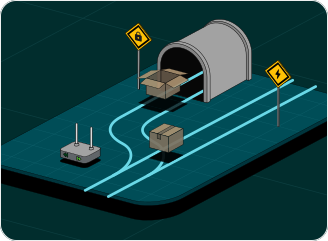
Smart Routing is Lantern's default mode. It uses region-specific rules to decide what goes through Lantern: sites that are blocked or unencrypted. Everything else connects directly for faster speeds.
Not all traffic needs a VPN. Here’s why.
Even in the most censored countries, much of the internet isn't blocked. Your bank, local news, and everyday apps don't need a VPN to connect, and sending them through one is often an unnecessary detour.
Smart Routing sends blocked sites and apps through Lantern and lets everything else connect directly. Blocked sites open, the rest runs at full speed, and you dont have to think about it.
If nothing is blocked where you live, the same logic applies. Most sites now use HTTPS, so your ISP can see the domain you're visiting but not what you do there. Smart Routing tunnels unencrypted sites and leaves the rest alone. Want everything through Lantern? Full Tunnel mode is always one tap away.
Faster direct access
Safe, routine traffic connects directly, so you get faster speeds without unnecessary detours.
Protected sensitive traffic
Blocked sites, unencrypted traffic, and sensitive destinations are automatically routed through Lantern's secure network.
Tailored to your region
Smart Routing uses region-specific rules, so what gets protected is based on what's actually blocked or sensitive where you are.
Fully customizable controls
Switch to Full Tunnel mode anytime for traditional VPN coverage, or add Split Tunneling for manual control over specific apps and sites.
Choose how your traffic is routed

Smart Routing mode
Region-specific rules automatically route traffic that needs the VPN through Lantern. All other traffic goes direct for speed and reliability.

Full Tunnel mode
Routes all traffic through Lantern, whether it needs it or not. Traditional VPN behavior for maximum coverage.

Split Tunneling
Manually choose specific apps or websites to bypass the VPN entirely. Works with either routing mode. Useful when you need certain apps to use your local connection.
Access anything, faster.
Smart protection. No slowdowns.