

از آنچه اهمیت دارد محافظت کن
مسیریابی هوشمند

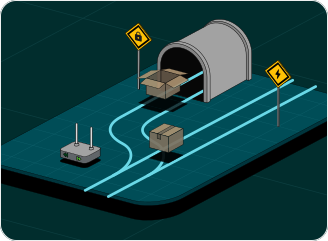
مسیریابی هوشمند چیست؟
مسیریابی هوشمند حالت پیشفرض Lantern است. این قابلیت از قوانین منطقهای استفاده میکند تا بهطور خودکار ترافیکی را که نیاز به VPN دارد از طریق Lantern هدایت کند. سایتهای مسدودشده، اتصالات رمزنگارینشده و مقصدهای حساس محافظت میشوند. بقیه ترافیک برای سرعت بیشتر مستقیماً متصل میشود.
همه ترافیکها نیازی به VPN ندارند. اینجاست که میفهمیم چرا.
اکثر VPNها خودشان را برای هر اتصالی ضروری معرفی میکنند، اما در واقعیت، بیشتر استفاده روزانهات از اینترنت از قبل امن است. سایتها و اپهای مدرن از رمزگذاری HTTPS استفاده میکنند، بنابراین ISP تو فقط میتواند دامنهای که بازدید میکنی (مثل google.com) را ببیند، نه صفحات یا اقدامات خاص.
Lantern برای نحوه کارکرد اینترنت امروز طراحی شده است. به جای هدایت همه چیز از طریق VPN، Smart Routing فقط زمانی وارد عمل میشود که لازم است و ترافیک مسدود، رمزگذارینشده یا حساس را تونل میکند. بقیه ترافیک مستقیم باقی میماند تا سرعت بیشتری داشته باشی و دقیقاً هر وقت نیاز داری محافظت شوی.
دسترسی مستقیم سریعتر
ترافیک امن و معمولی بهصورت مستقیم متصل میشود، بنابراین بدون مسیرهای غیرضروری، سرعت بیشتری دریافت میکنی.
ترافیک حساس محافظتشده
سایتهای مسدود، ترافیک رمزنگارینشده و مقصدهای حساس بهطور خودکار از طریق شبکه امن Lantern مسیریابی میشوند.
متناسب با منطقه شما
مسیریابی هوشمند از قوانین منطقهای استفاده میکند، بنابراین آنچه محافظت میشود بر اساس آن چیزی است که واقعاً در منطقهی شما مسدود یا حساس است.
کنترلهای کاملاً قابل تنظیم
در هر زمان برای پوشش VPN سنتی به حالت Full Tunnel بروید، یا Split Tunneling را برای کنترل دستی روی اپها و سایتهای خاص فعال کنید.
انتخاب کن چطور ترافیکت مسیریابی بشه

حالت مسیریابی هوشمند
قوانین منطقهای خاص، ترافیکی را که نیاز به VPN دارد بهطور خودکار از طریق Lantern هدایت میکنند. تمام ترافیک دیگر برای سرعت و قابلیت اطمینان بیشتر، مستقیم منتقل میشود.

حالت تونل کامل
همه ترافیک را از طریق Lantern هدایت میکند، چه نیاز داشته باشد چه نه. رفتار VPN سنتی برای حداکثر پوشش.

تونلزنی تقسیمشده
بهصورت دستی برنامهها یا وبسایتهای خاصی را انتخاب کن تا کاملاً از VPN عبور کنند. با هر دو حالت مسیریابی کار میکند. زمانی مفید است که نیاز داری برخی برنامهها از اتصال محلیات استفاده کنند.
به هر چیزی دسترسی داشته باش، سریعتر.
حفاظت هوشمند. بدون کندی.